Build a live space-station tracker (and more) from free APIs
Learn to read the famous public-apis list, then build one HTML file that shows the space station moving on a live map, London weather, the next UK bank holidays and a joke. No keys, no sign-ups, nothing to install.
- The DevTools skills to watch every request, and a page that keeps working when one API goes down
- A browser: Edge, Chrome or Firefox
- Notepad or any code editor, to look at and change the file
- An internet connection (the data is live)
- No account, no API keys and nothing to install
Find the easy APIs in the list
Three columns tell you, before you write any code, whether an API will work from a simple web page.
An API is a web address that answers with data instead of a web page. Your code asks a question, and the API sends back the answer.
public-apis ↗ is a list of free APIs on GitHub, sorted into categories like Weather, Animals and Science & Math: over 2,000 APIs in about 50 categories.
The top of the README is an advert for a paid API bundle that needs a sign-up. Scroll past it to the Index, pick a category, and you'll see a table like this:
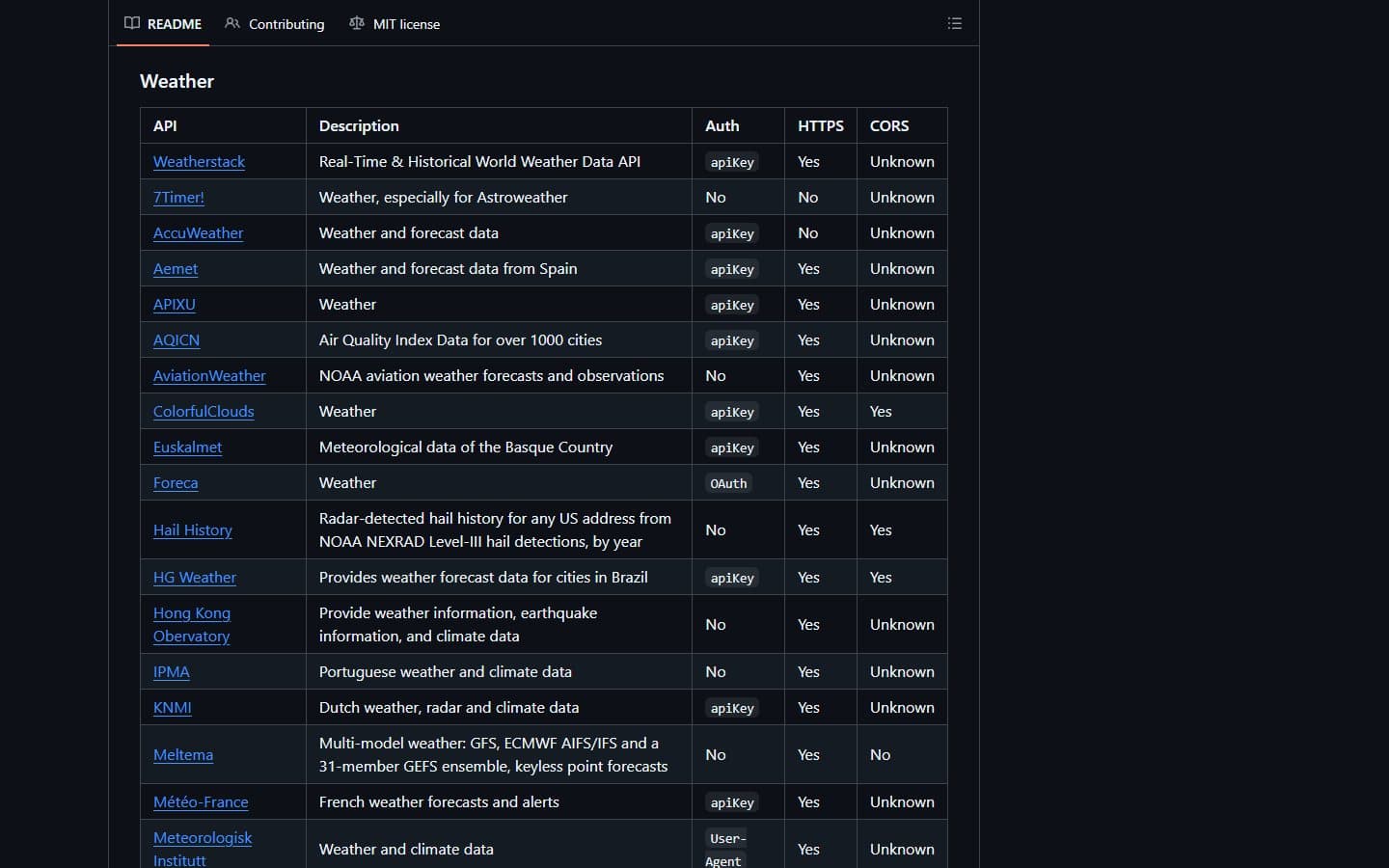
The Weather section. Open-Meteo, the one this dashboard uses, is a few rows further down: No, Yes, Yes. - Auth: do you need to sign up?
Nomeans no key and no account.apiKeymeans you register and get a secret key.OAuthmeans people log in with an account. A few sayUser-Agent, which means you have to name your app in every request. - HTTPS: does it work over a secure
https://address? If it saysNo, a page on a normal (https) website can't use it, because the browser blocks it. - CORS: will it answer code running inside a web page?
Yesmeans your HTML file can use it directly.Nomeans it only works from a server or a script.Unknownmeans nobody has checked.
- Auth: do you need to sign up?
For your first projects, look for rows that say No, Yes, Yes: no key to keep secret, works on secure pages, and works straight from a web page. Around 450 APIs match all three. About half the CORS entries say Unknown, so those are worth a 10-second test too. Step 2 shows you how.
TipThe page is long. Press Ctrl + F and search for a word likeweather,holidayorspaceto jump straight to useful rows.