Pitch decks from plain text: your own template, a deck per prospect, a PDF by lunch
Write your pitch as one text file. Slidev turns it into a clean deck with click animations, a price table, a diagram and speaker notes, then exports a PDF you can email. It's the free, offline version of the Gamma lesson, with a template that's yours, so one spreadsheet of prospects becomes one personalised deck each.
- A deck generator: one row per prospect in a spreadsheet, one personalised pitch deck each
- The same deck as PNG images for a LinkedIn post or a WhatsApp message
- Node.js ↗ 22.12 or newer. Type
node --versionin your terminal to check. Level 0's Install anything from GitHub covers it. - About 1.3GB of free disk space (most of it is the browser Slidev uses to make PDFs)
- Notepad is fine for editing. VS Code ↗ is nicer.
- Useful but optional: the numbers from Turn the audit into a pitch deck. That lesson uses Gamma, which is quicker for a one-off. Use this one when you want a template you own, that works offline and can turn out ten decks at once.
Create the project
Slidev's own starter command sets up a folder with everything a deck needs.
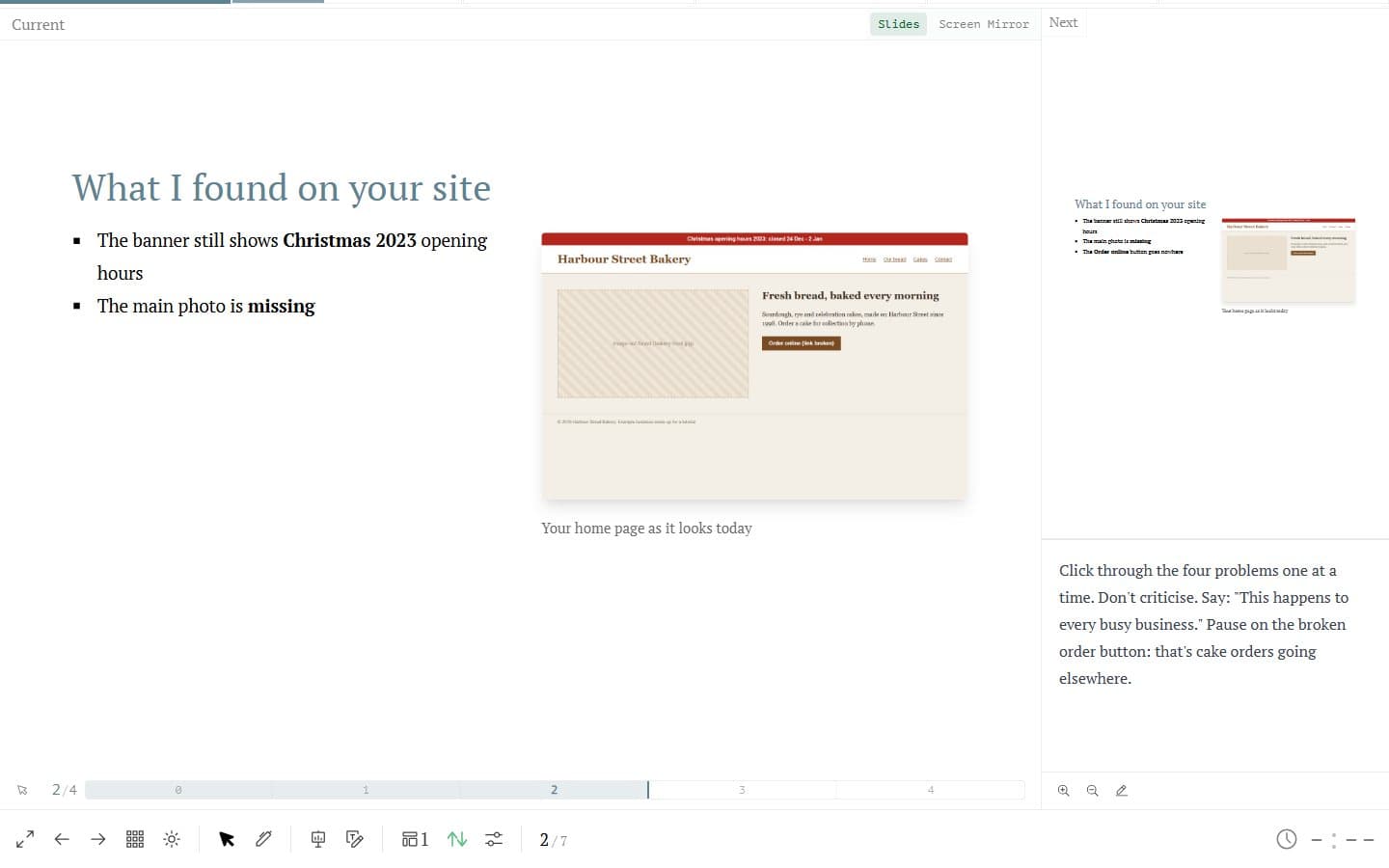
Where this mission ends: presenter view on your laptop, with your notes, the next slide and a timer, while the client sees only the slides. Open a terminal (PowerShell on Windows) and run the official create command.
pitch-deckis the name of the folder it makes:Terminalnpm init slidev@latest pitch-deckIf npm asks
Ok to proceed? (y), press Enter. Then it asks if it should install and start now. Type n and press Enter, so you can see each step:OutputSlidev Creator v53.0.0 Scaffolding project in pitch-deck ... Done. √ Install and start it now using npm? ... no start it later by: cd pitch-deck npm install npm run devDo exactly what it says:
Terminalcd pitch-deck npm installOutputadded 690 packages, and audited 691 packages in 1m ... 21 vulnerabilities (3 low, 8 moderate, 10 high)TipThe install takes about a minute and thenode_modulesfolder comes to about 520MB. You can ignore the "vulnerabilities" line: these tools only run on your own machine while you make the deck. Don't runnpm audit fix --force, which npm itself says includes breaking changes.Now start it:
Terminalnpm run devOutputSlidev v53.0.0 theme @slidev/theme-seriph css engine unocss ... public slide show > http://localhost:7148/ presenter mode > http://localhost:7148/presenter/ slides overview > http://localhost:7148/overview/ export slides > http://localhost:7148/export/It opens Slidev's demo deck in your browser. If it doesn't, open the
public slide showaddress yourself. Yours will normally say 3030 (the example above uses 7148), so your address ishttp://localhost:3030/. Leave this window running while you work.
If it breaks'npm.ps1 cannot be loaded because running scripts is disabled on this system' + 2 more
'npm.ps1 cannot be loaded because running scripts is disabled on this system'
npm.cmd instead of npm (for example npm.cmd install). It's the same program without PowerShell's script wrapper.'npm' or 'node' is not recognised, or Node is older than 22.12
winget install --id OpenJS.NodeJS.LTS -e. Then close PowerShell and open a new window.