Your own Airtable: turn a spreadsheet into a real database with forms, views and a kanban board
NocoDB turns a spreadsheet into a real database you run on your own PC: proper field types, linked tables, a kanban board, read-only share links and a free API. You'll build it with a sample cake shop's 10 orders and 5 customers.
- Your table's data in PowerShell through NocoDB's free REST API
- A clear view of when the quick standalone app is enough and when to move to NocoDB's Docker version
- About 400MB of free disk space: the NocoDB app is a single 372MB file
- A spreadsheet saved as CSV (in Excel or Google Sheets: File → Save as / Download → CSV). Or use the sample orders.csv and customers.csv
- No admin rights, no Docker, no NocoDB account. New to the terminal? Do the Terminal survival kit first.
Download NocoDB (the right file)
Get the standalone NocoDB app from the link that works, and check it's genuine.
NocoDB is a free alternative to Airtable: a database that looks and feels like a spreadsheet. It normally runs in Docker, which needs admin rights and a big install. Up to June 2026 NocoDB also published a single file that runs on its own with no install, and that's what you'll use here.
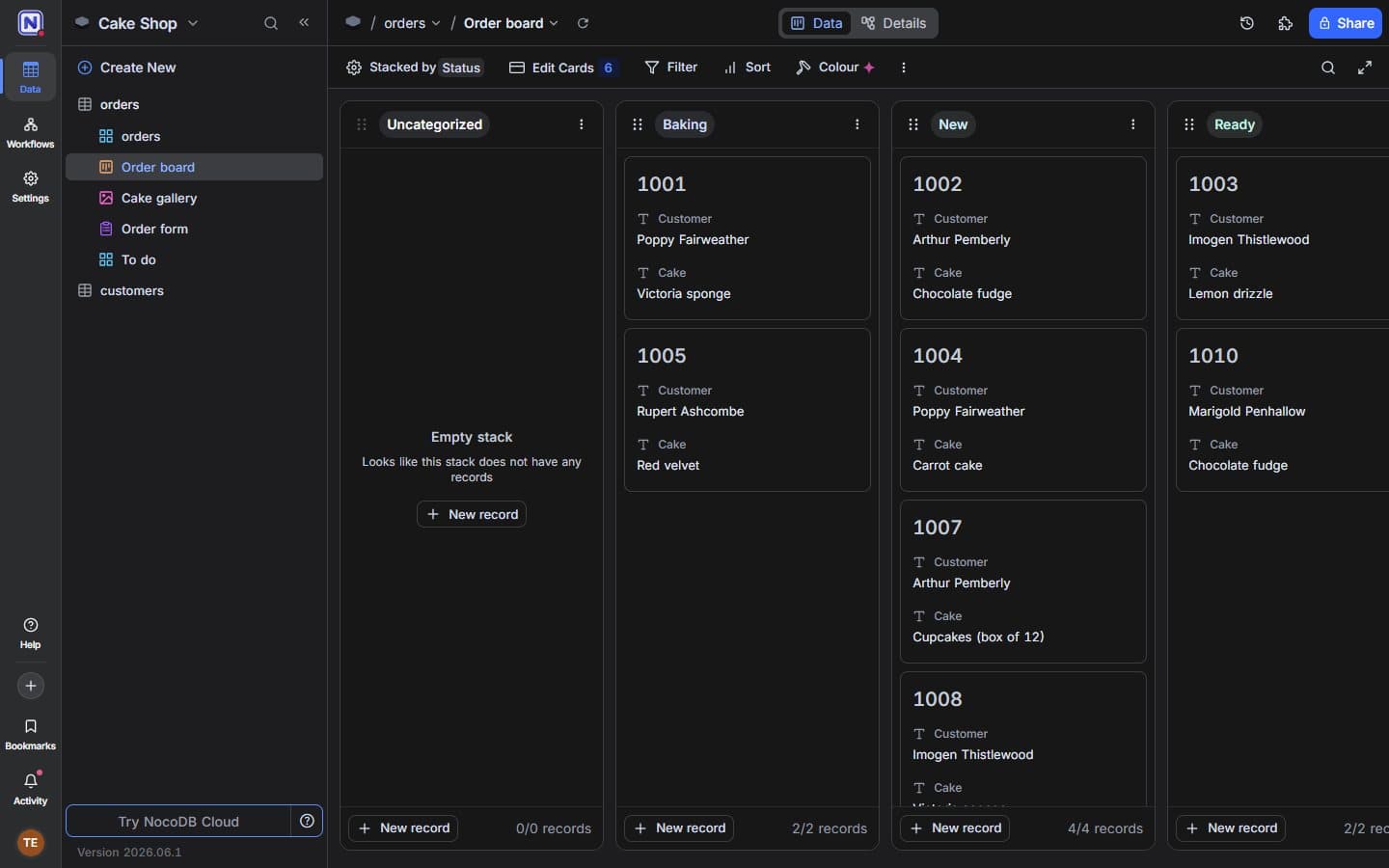
Where you're heading: the sample orders on a kanban board, about 30 minutes from now. TipQuick try or keep it? The standalone app is frozen at version 2026.06.1. That's ideal for learning NocoDB and for small personal projects. If you end up running your business on it, move to NocoDB's supported Docker version later (covered at the end). Everything you learn here carries straight over.CarefulThe Windows command in NocoDB's README (iwr http://get.nocodb.com/win-x64.exe ...) currently fails with 404 Not Found. NocoDB stopped publishing the standalone apps after version 2026.06.1 (their release notes call them deprecated), but the link still points at the newest release, which has no .exe. The commands below download 2026.06.1 straight from NocoDB's official GitHub release page ↗ instead.Open PowerShell (or Terminal on a Mac or Linux) and make a folder for NocoDB. Your data will live in here too:
Windowsmkdir $HOME\nocodb cd $HOME\nocodbMac / Linuxmkdir ~/nocodb && cd ~/nocodbThen download it. On Windows, the first line hides PowerShell's progress bar, which otherwise makes big downloads crawl:
Windows$ProgressPreference = 'SilentlyContinue' iwr https://github.com/nocodb/nocodb/releases/download/2026.06.1/Noco-win-x64.exe -OutFile Noco-win-x64.exeMac with Apple chip (use Noco-macos-x64 on Intel Macs)curl -L https://github.com/nocodb/nocodb/releases/download/2026.06.1/Noco-macos-arm64 -o nocodb && chmod +x nocodbLinuxcurl -L https://github.com/nocodb/nocodb/releases/download/2026.06.1/Noco-linux-x64 -o nocodb && chmod +x nocodbThe Windows file is 390,507,276 bytes (372MB). To check it's genuine, compare its checksum with the one GitHub lists next to each file on the release page. On Windows it should start
91380552C89A:Windows(Get-FileHash Noco-win-x64.exe).HashOutput91380552C89A0837BC8D6A5F13C5142D85A4E0B04CA687D44ACD9BFAF8458797Mac (on Linux: sha256sum nocodb)shasum -a 256 nocodb
Noco-win-x64.exe on Windows, nocodb on Mac or Linux) is in your nocodb folder and is 350MB to 372MB.If it breaksThe download fails with '404 Not Found' + 1 more
The download fails with '404 Not Found'
get.nocodb.com link from the README. Use the GitHub link above, which names version 2026.06.1.The download is painfully slow
$ProgressPreference = 'SilentlyContinue' first, in the same window. Windows PowerShell's progress bar slows large downloads down a lot.